Invoices, Expenses & Billing
Do the work and bill for it in the same place.
The problem
For a lot of small businesses, billing is a separate world: the work happens in one tool, the invoice gets made in another, expenses live in a shoebox or a spreadsheet, and nobody can answer “what's still owed?” without an afternoon of digging.
Money that isn't tracked is money that leaks — late invoices, forgotten expenses, and a tax season nobody enjoys.
How the aCo App solves it
The aCo App keeps the money with the work. Create invoices (manually or through Stripe), record expenses as they happen, and see what's been billed and what's outstanding next to the projects that earned it.
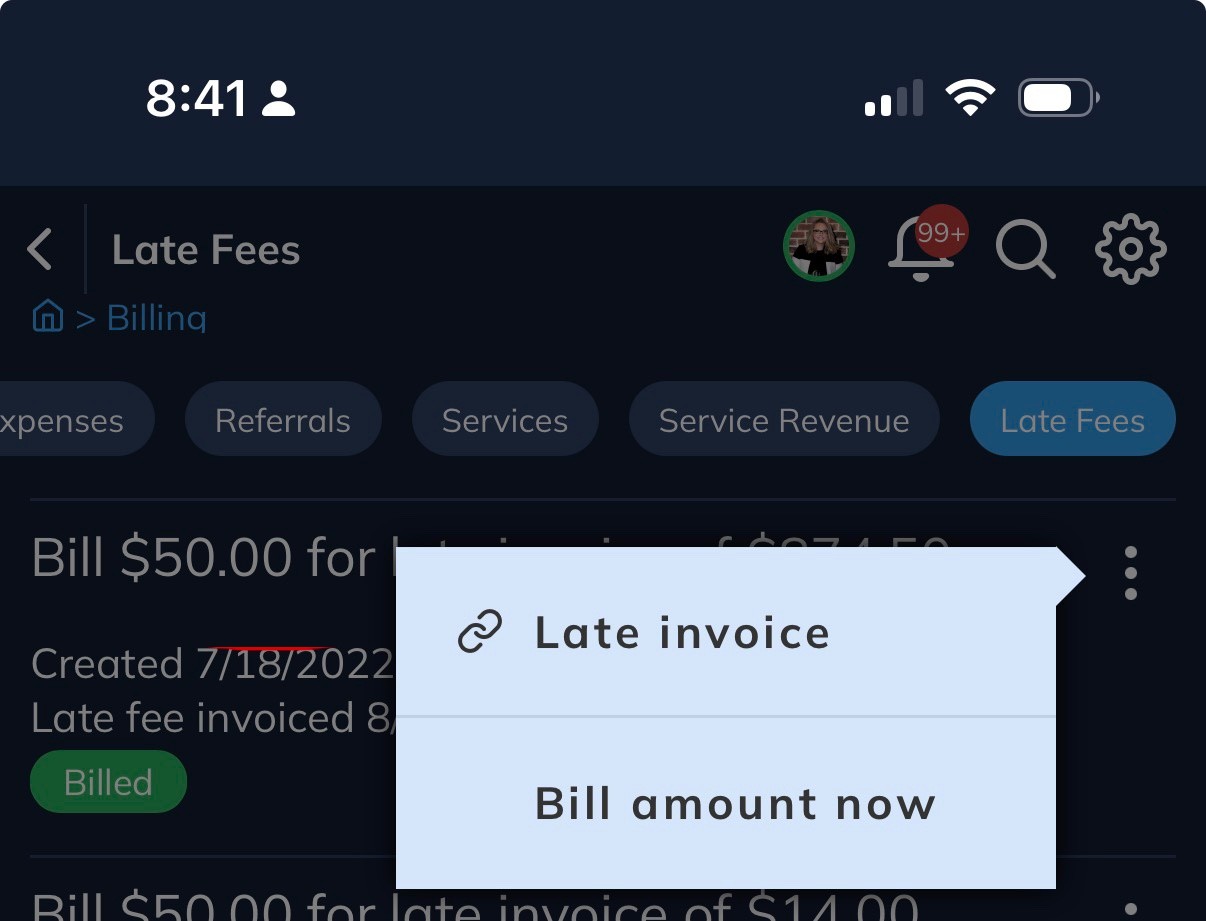
Bill at your pace: send invoices when the work calls for it — deposit, milestones, at the end, all of the above — not on a schedule a tool picked for you. And when a client pays late, the app tracks Stripe late fees, so the cost of waiting is on the record, not absorbed silently.
Your app subscription itself is handled through Stripe too — one predictable Premium price instead of a stack of tool subscriptions.
What you get
- Invoices you create yourself, or send through Stripe
- Expenses recorded as they happen, not reconstructed later
- Billing history tied to the client and the project
- Bill at your pace — deposits, milestones or end of job
- Stripe late fees tracked, not silently absorbed
- One subscription for the app instead of separate tools for work and money
Why it's different
Accounting tools know money but not your work; project tools know work but not your money. The aCo App keeps both in one record, so the invoice matches the project and the client sees one professional thread. It lives in the same app as the rest of your business — one login, one subscription.
Details
- Manual invoices and Stripe invoices in one place
- Billing covers invoices, expenses, referrals, services and service revenue — plus a dedicated late-fees view
- Services can be fixed-price entries, ready to bill
- Stripe late fees are tracked, and can be billed on demand — with a Billed status once they are
Questions
Can clients pay online?
Yes — invoices can go through Stripe, so clients can pay by card.
Can I track expenses too?
Yes. Expenses live in the app alongside invoices, so the full picture is in one place.
What does the app itself cost?
The basic app is free. Premium is $70/month and unlocks the advanced features, including contact forms and Stripe billing.
Get started with the aCo App
Create your free account, log in to your workspace, or find answers in the support knowledge base.